

We are continually working to improve our Platform, and this time our focus has been on the Operation Center in IWMAC. Based on user feedback, this update simplifies the work in the Alarm view and gives the Plant view greater flexibility and an overview.
Alarms
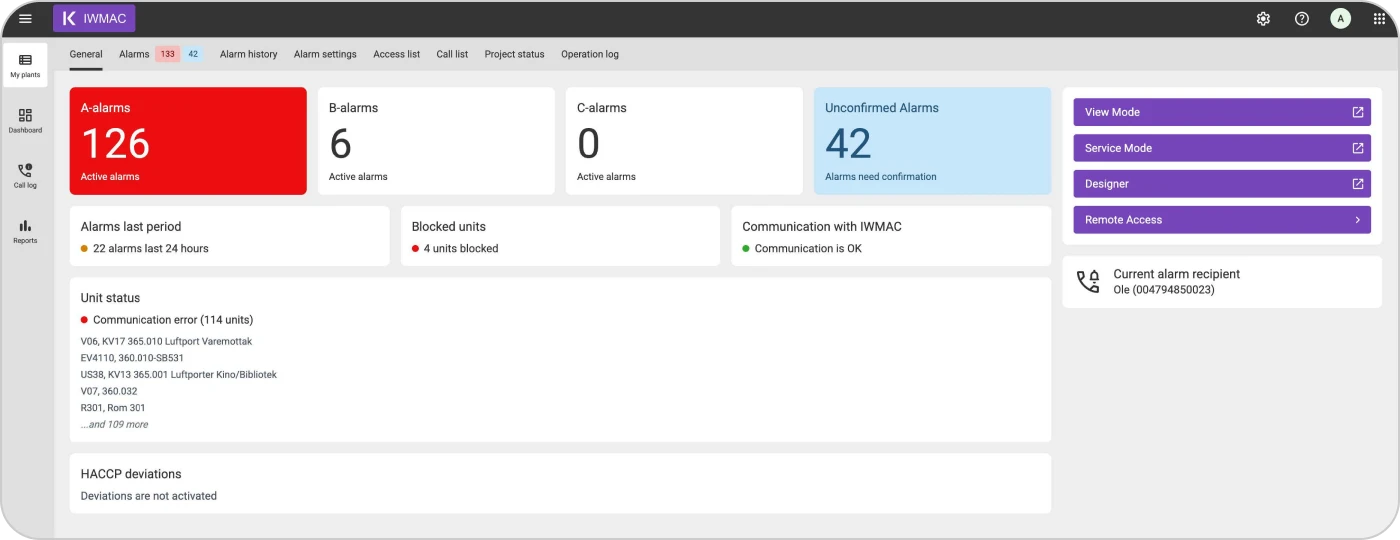
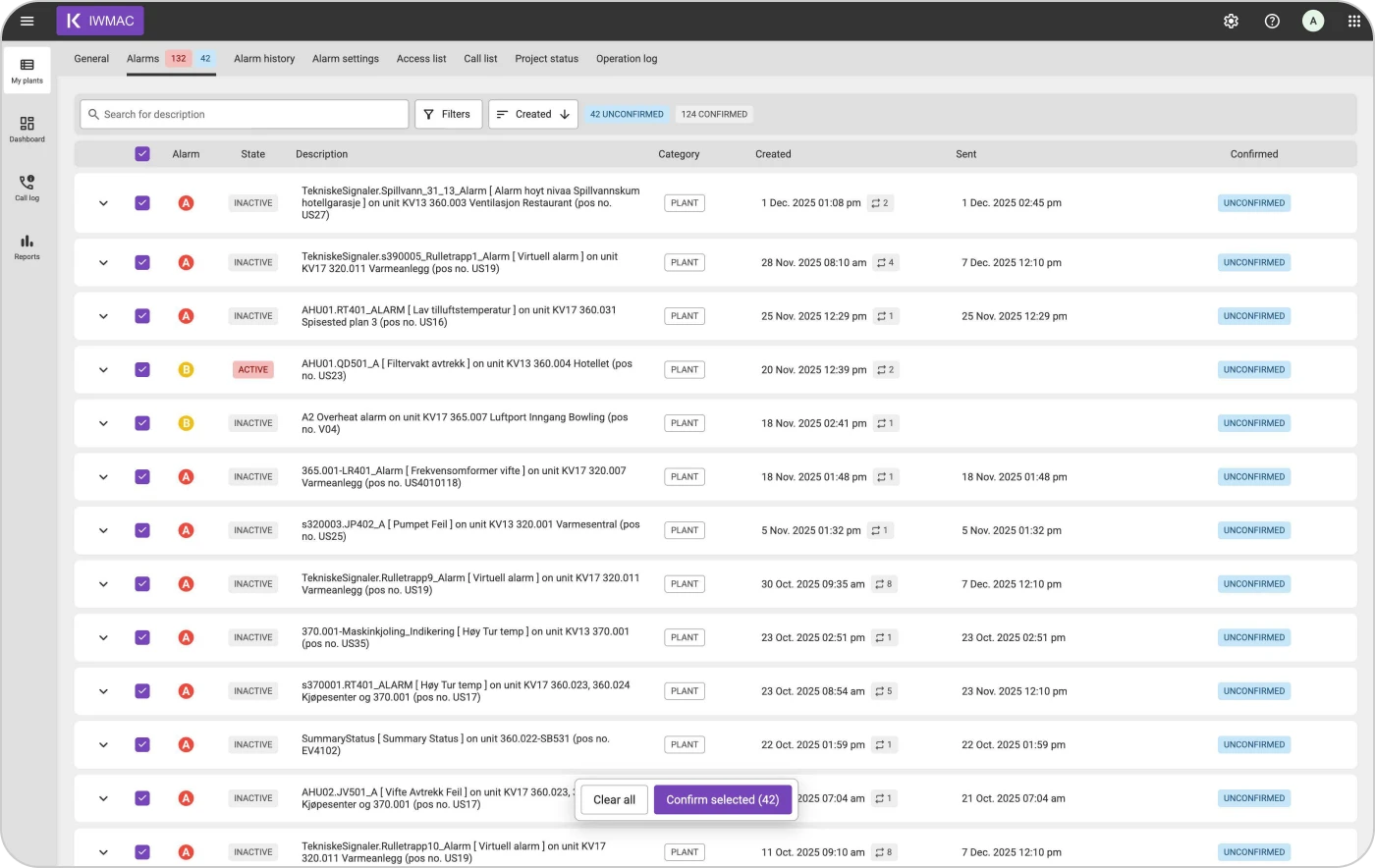
We've simplified how alarms are displayed so critical issues stand out immediately and are easier to address.
- The Alarms page now shows only active and unconfirmed alarms.
- Confirmed and closed alarms are transferred to Alarm History.
- Also, a new info card has been added to the "General" page, displaying the total number of unconfirmed alarms on a plant.
This provides a clearer overview and helps ensure that urgent alarms are addressed more swiftly.
Alarm history
The Alarm History page still offers a comprehensive overview, now with increased flexibility.
- Switch between alarm instances and alarm objects
- Alarm objects group confirmed and closed alarms
- Open an alarm object to view its full log for complete traceability
- Fully responsive and mobile-optimised across all devices
Plant view
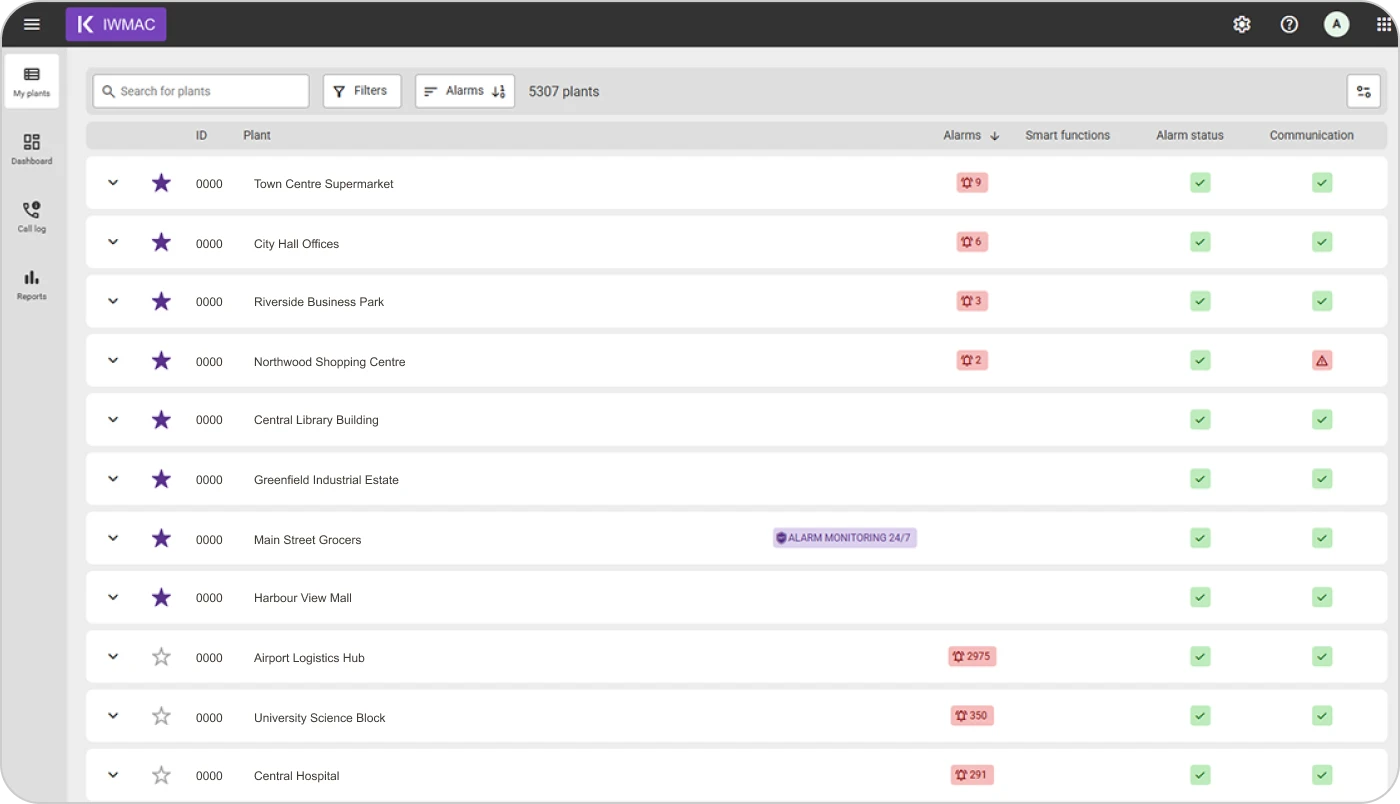
We've improved My Plants to give users a clearer overview. You will now have clear visibility into the sites protected by Alarm Monitoring 24/7. You can also customise your plant list, show or hide columns, and pin your favourite plants to the top.
More improvements are:
- Added A-, B-, and C-alarm columns to the plant list (with the A-alarm column enabled by default) with sorting and column visibility.
- Adjusted column order
- Expanded card layout
- Possibility to hide zero counts in A/B/C cells
- Clearer header for Alarm Monitoring 24/7 and sort behaviour
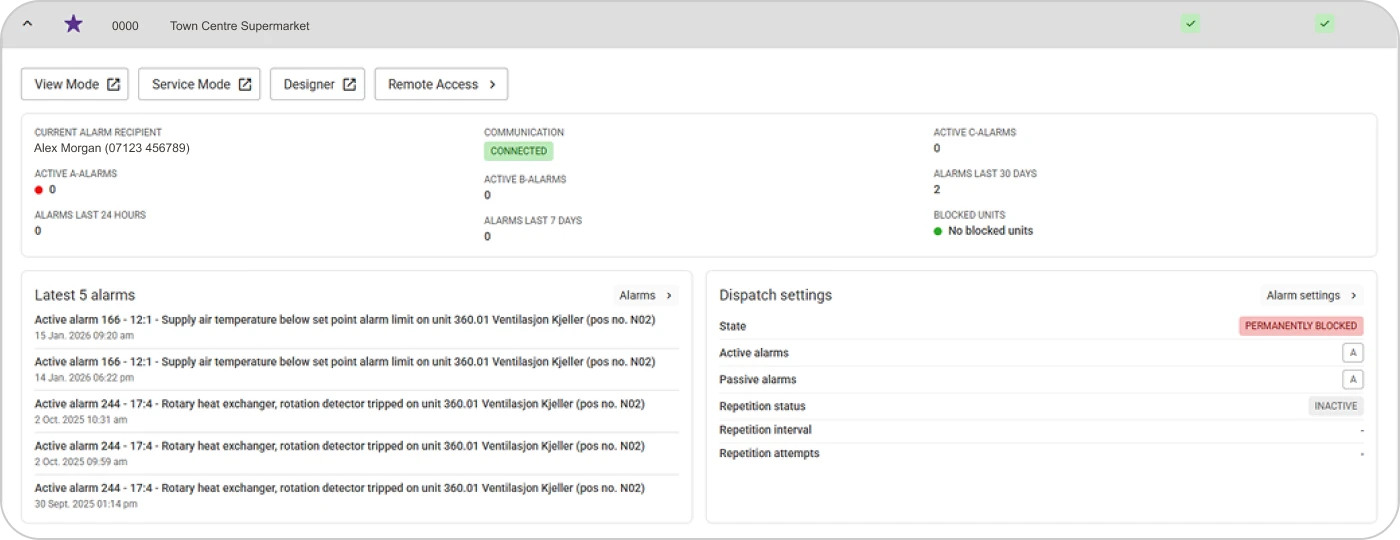
Expand a plant row to instantly see:
- Current alarm recipient
- Fice most recent alarms
- Active dispatch settings
- Any blocked units
Additionally, the "View mode" and "Service mode" buttons have been moved inside the expanded area, along with quick links to "Remote access" and "Designer" if the user has access to them.
Finally, we have made a few fixes:
- Sorting in tables by clicking the table header is now available again.
- We have updated the terminology under "Communications." Previously, it was labelled as "Plant disconnected," but it will now be displayed as "Communication lost." This change aims to make it clearer that the disconnection is unintentional rather than deliberate.
Read more about updates to our platform.